
Honestly speaking, folks coming into the amazing world of helicopter flight simulation have a challenging path ahead. A fun and fulfilling one. But it’s still a challenge.
We’ve all been there, committed those errors where we thought helicopters worked like helicopters – hint: they don’t – and the world looks upside down. Even when we manage not to flip the helicopter over.
One of the first things people struggle with is setting up their controls. From then, on, I highly recommend you read about helicopters, controls, and how they actually work. Fortunately, we have a set of tutorials to get you up to speed and learn everything about helicopters right here.
And, to further your knowledge on helicopters, help you to set up things and even how to practice, check out my presentations at FlightSimExpo. You can find a handy playlist here.
If you get confused about the controls, I urge you to, at least, check out my article about Helicopter Controls and How controls interact with each other. I really recommend you read the other articles in the series, in order but, at least, take a look at those two.
Let’s get started
First, head out to control settings and select your controller.
Once you do that, head out to Flight Control Surfaces and enter the Primary Control Surfaces.
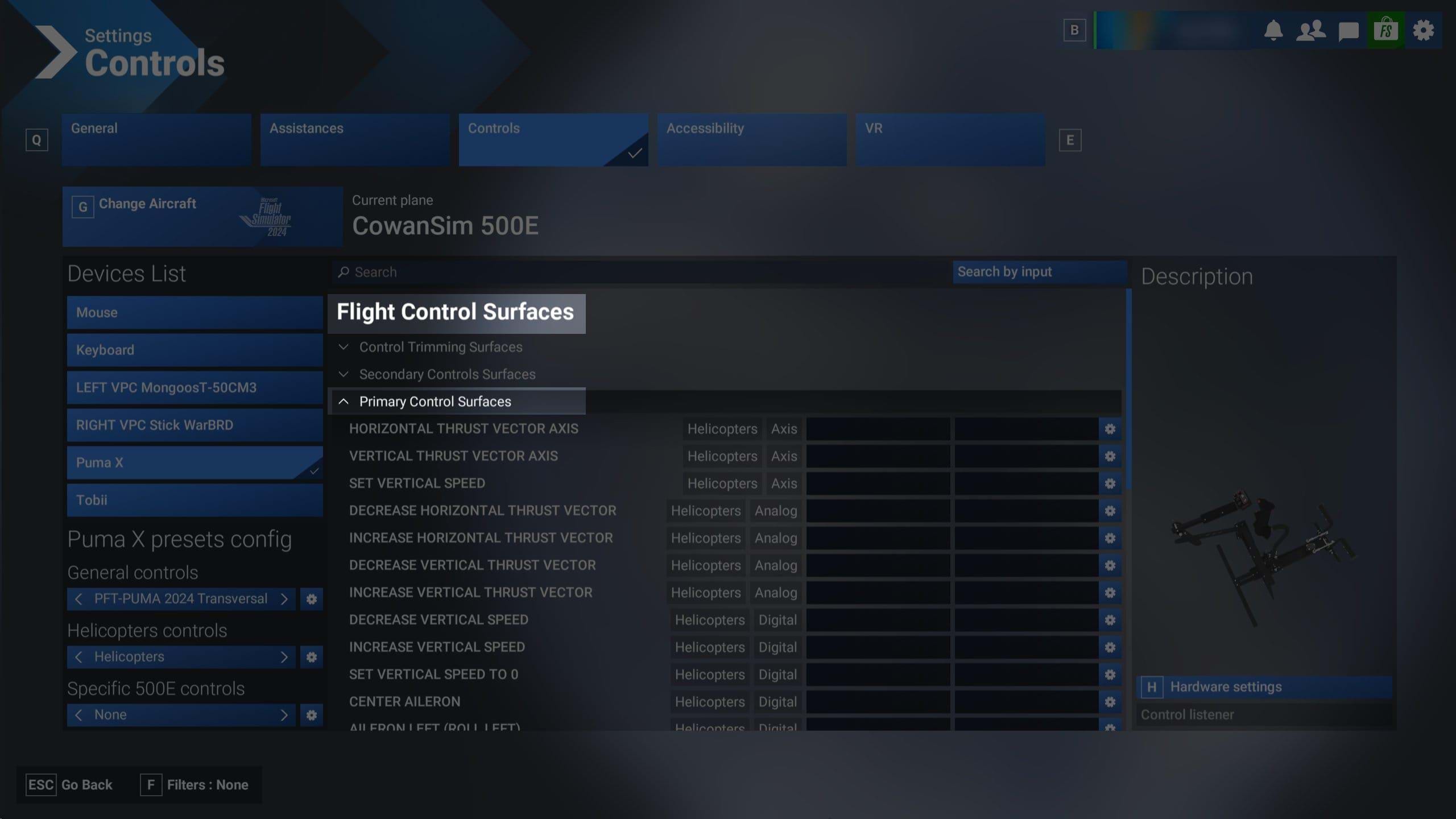
Scroll down and you will find the 3 axes we require to control the cyclic and the anti-torque pedals (again, refer to this article if you are unaware of what those are):
- SET CYCLIC LATERAL AXIS
- SET CYCLIC LONGITUDINAL AXIS
- TAIL ROTOR AXIS

Assign the first two axes to your joystick. The third one, you will need to assign to your pedals, twist grip on your joystick or whatever you normally use to control the rudder.
The next one is the one that usually gets most of the users. When coming from fixed wing aircraft, and not knowing how helicopters work, we usually look for the throttle. Well, helicopters do have throttles (it’s not that simple but let’s assume it is) but what we use to control how the helicopter climbs or descends is not the throttle but rather the collective.
Head out to the Power Management section and look for Collective and then COLLECTIVE AXIS.

Assign this to your collective (if you have a hardware collective) or to your regular throttle. I always recommend inverting the axis so you increase the collective when you pull and you decrease the collective when you push. I found it more intuitive that way.
That’s it! That’s all you need to do to set up your basic controls. Now all you need to do is learn some more about these fantastic machines and practice, practice, practice! Don’t give up! If you feel stuck, you can always email me or visit our group on Facebook and ask our amazing community for help!
Enjoy!