
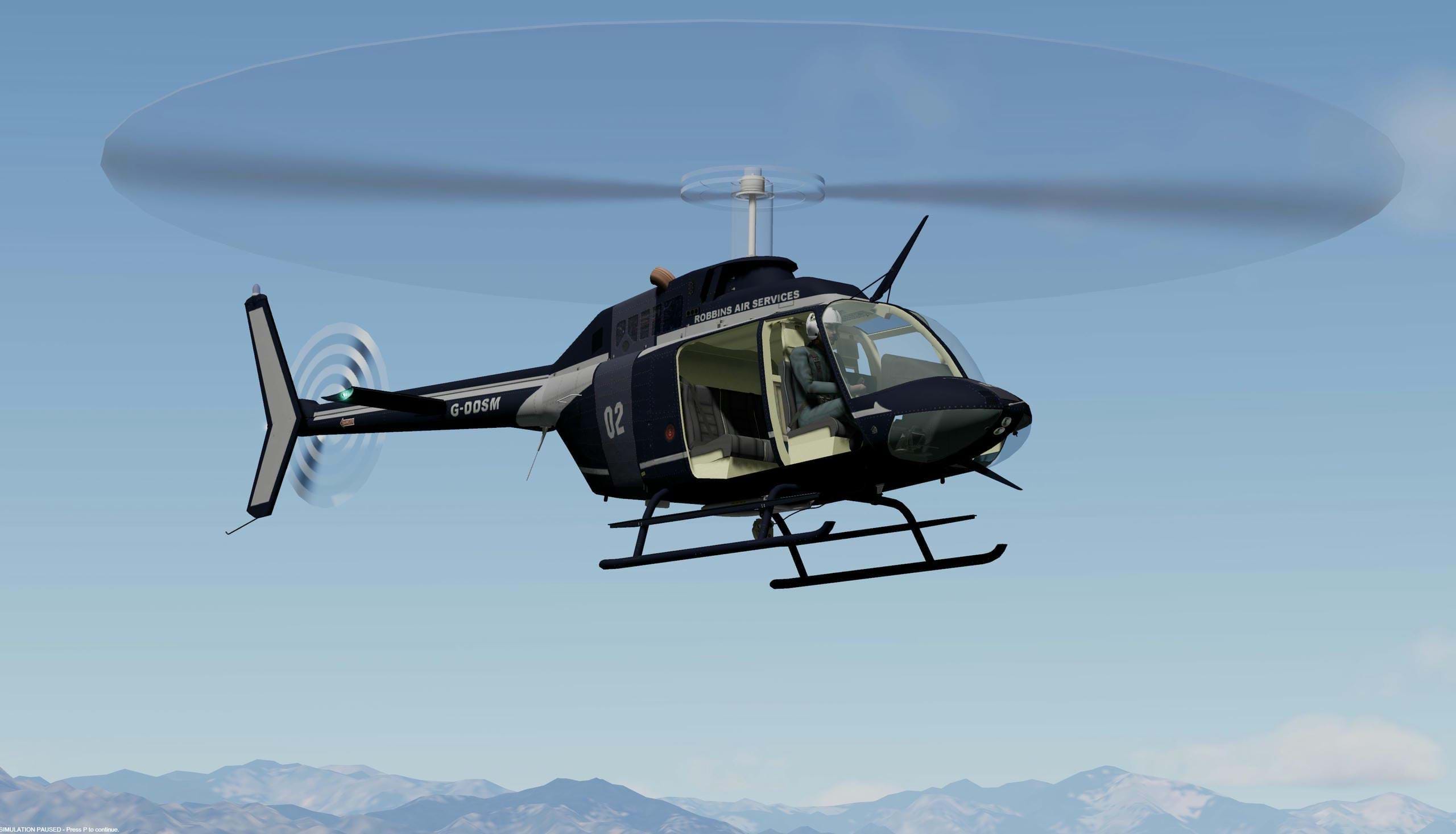
Initial note by the editor
I was very surprised and quite pleasant when Simon reached out to me about this project. The DodoSim 206 is a hallmark in the history of helicopter flight simulation but development eventually stopped and it was no longer availble for newer versions of P3D, for example.
Please note that this is an authorized release. It's not a rip-off, a pirated version or anything shady. This is the real deal.
You can find the P3D v5 version here and the P3D v6 version here.
Enjoy!
-- Sérgio
History
DodoSim received overwhelmingly positive reception and critical success first with the RealStart 206, (which introduced a realistic engine start procedure with a hot-start failure condition), and later Advanced 206, (which featured more realistic flight dynamics including torque-induced yaw effects), for Microsoft Flight Simulator 2004.
Following the release of Microsoft Flight Simulator X, DodoSim began developing the DodoSim 206 FSX. Working with a new C language programmer with an understanding of the Windows Platform and DirectSound SDKs, and utilising the new SimConnect C API capabilities, the software was developed from the ground up with the intention of pushing the bar higher and introducing more new feature and fidelity not present in Microsoft Flight Simulator helicopters to date.
Culminating in approximately a year and a half’s work, the DodoSim 206 FSX was released, and again received an overwhelmingly positive response from customers. Features new to this model included:
- A new 3D model.
- Additional dynamic engine, transmission and rotor effects achieved using an additional DirectSound implementation augmenting the simulator’s native sound effect engine, including transmission strain and high-alpha blade slap sounds.
- Additional switches, circuit-breakers and other electronic system functionality, plus additional dynamic flight behaviours, facilitated with the C (.gau) DLL file utilising an in-process SimConnect client.
- Selectable, scalable difficulty settings and including cued or automatic start-up and shutdown sequence, (where each operation is highlighted in-turn on the cockpit panels).
- A persistent wear and maintenance model, where repeated overstress would slowly degrade the aircraft’s systems leading to failures, and persisting over multiple flights.
- A 100+ page manual, providing detailed set-up and operating procedures.
The DodoSim 206 FSX became a favourite of home cockpit builders who eagerly sought to integrate custom-built collective levers and throttle with idle-release latches and other new cockpit buttons and switches not natively supported by Flight Simulator X that could now be mapped and operated using FSUIPC’s new SimConnect custom event mapping feature.
The Intervening Years
It was always the intention of following up the DodoSim 206 FSX with additional new helicopters for FSX. A UH-1H “Huey” made a significant way through development but was eventually cancelled because due to outside commitments, development was slow and by the time the model was mature and the cockpit systems nearing completion, the power of home PCs had increased significantly to the point where the market would have demanded significantly increased detail in the 3D model requiring significant re-work and there had recently been at least two Huey competitors released. Coupled with the home flight simulator market suffering a major slump at the time after Microsoft exiting the stage after FSX, our niche had become smaller to the point where the return on investment was not viable and instead smaller, private commercial opportunities were sought instead.
As the years progressed though, the C programmer continued to work on the 206, adding new features and developing new technologies, (such as a SAS and auto-pilot), to the point where it was determined that a re-worked 206 FSX was a viable product, perhaps as a low-cost upgrade to existing customers. Thus began the development of a new 3D model and higher-resolution 2D gauges to compliment the overhauled and expanded systems code. However, outside commitments have an oversized effect upon a small team and once again development stalled and eventually Mark, the owner of the DodoSim brand and 3D modeller, regrettably decided the business.
This left the C programmer with a 206 with a lot of exciting new features that it was feared no-one would ever get to see…
So what is this?
In early 2025, the programmer floated the idea with Mark that perhaps the software, with all its new features, the high-resolution 2D gauges, re-worked sounds, etc. could be packaged up and provided to the home enthusiast community finally as a (mostly) complete DodoSim 206 V2 package, free of charge, on the understanding that it is supplied “as is”, it is not a supported product, and any shortcomings are likely to be left unresolved.
Firstly, some of the old limitations remain: Low-speed auto-rotations result in peculiar aircraft behaviour, the 3D model is the same as in the original FSX product and so many of new the buttons and switches on the 2D panels are non-functional or even missing in the virtual cockpit. And the additional or replacement sounds provided by the custom DirectSound engine are 2D and non-spatial. (The reliance on the old FSX Bell 206 sounds for external effects has been removed, but the new external sounds are, to be fair, pretty dire. But we know that’s not where you’re interested in experiencing this aircraft!)
Whilst the complete list of new and improved features is included at the start of the User Manual, to list a few:
- The aircraft no-longer has to start cold and dark every time. Persistent state is stored alongside any .flt save flight files in an additional .dsx file.
- Aircraft equipment, such as SAS, ADF instrument type and Fuel Control Unit type, can be configured for individual tail-number aircraft. (Uninstalled equipment results in circuit breakers replaced with bungs.)
- New attenuated cockpit sound set when the pilot’s headphone jack is plugged in on the overhead panel.
- Re-worked start-up sound system, sounding much more realistic.
- New higher-resolution 2D panels and gauges. (Gauges are also high-res in the virtual cockpit as they are projections of the 2D ones.)
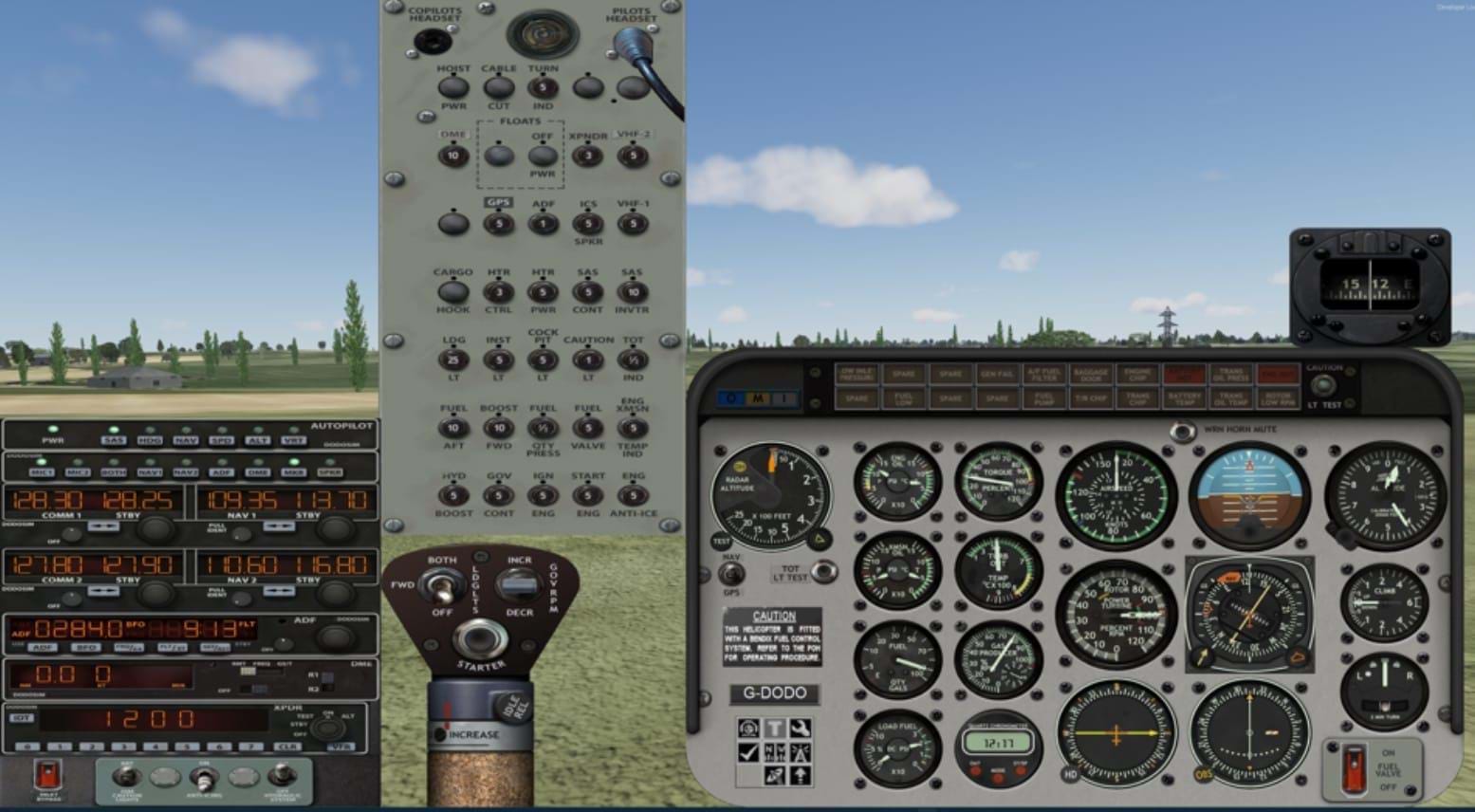
- Full screen high-res 2D panel without background and a rotor-only virtual cockpit for use by cockpit builders.
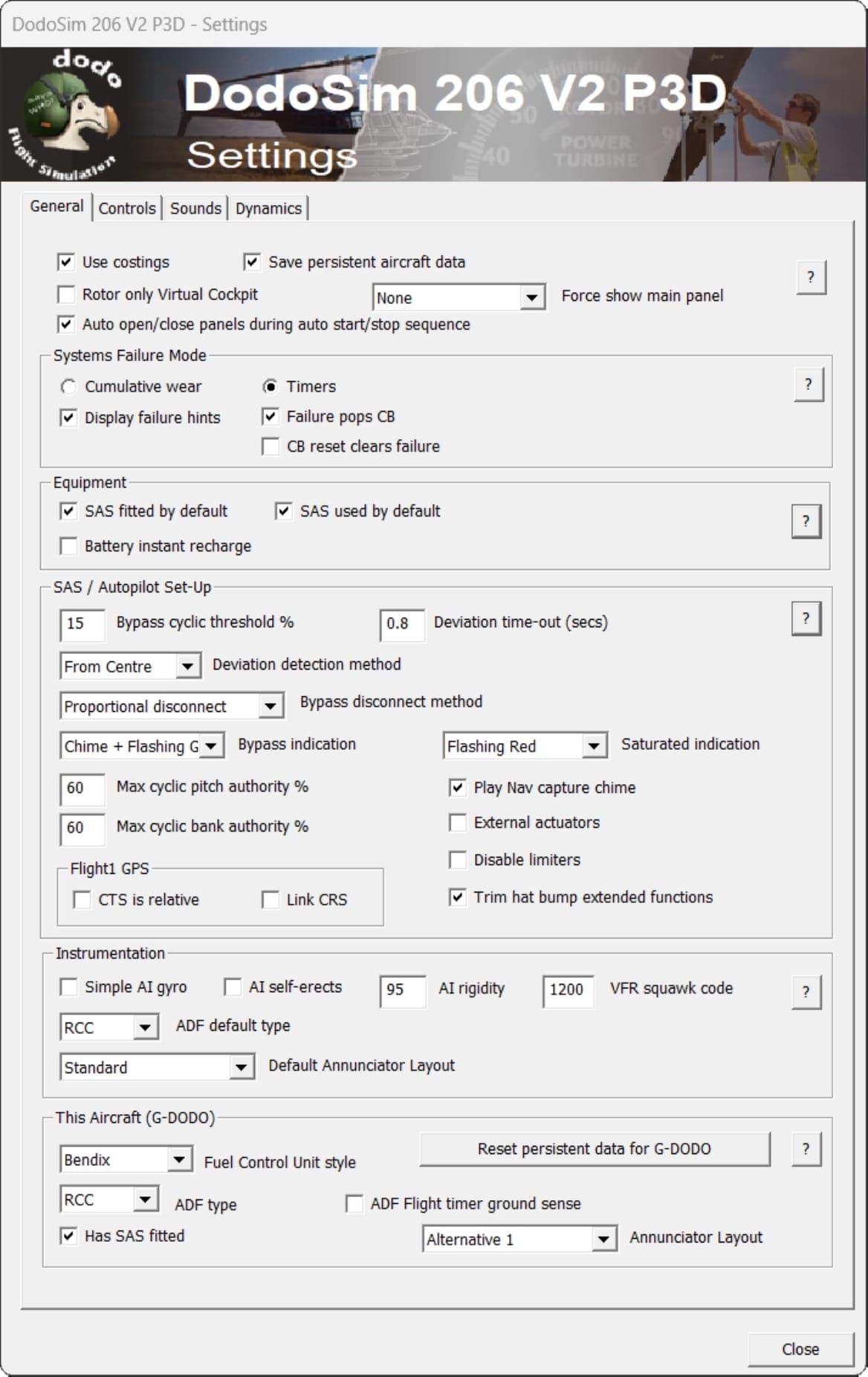
- New comprehensive in-game aircraft configuration settings using a multi-tab dialog for configuring general settings, control settings, sounds and tweaking dynamics behaviours:
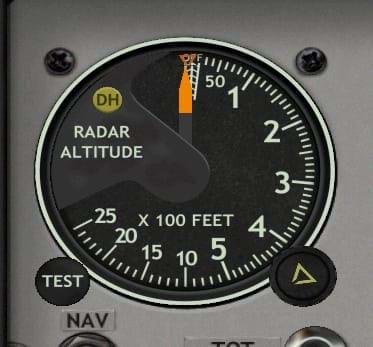
- New cockpit systems, including Radar Altimeter and SAS/Autopilot:

The autopilot supports attitude, speed, altitude and heading hold, full VOR, ILS and GPS navigation RNAV, LNAV and VNAV integration (and works well with the Flight1 or RealityXP GTN750). The SAS/Autopilot is also highly customisable for different preferences for fly-through/bypass modes, and audible annunciations. - Over the years many obscure bugs and processing inefficiencies have been found and fixed.
- Installers available for 32-bit FSX, and 64-bit Prepar3D v5 and v6.
- 61 page pdf Installation and Configuration Manual.
- 92 page pdf User Manual.
A Message of Thanks
DodoSim would like to offer this V2 206 to the home enthusiast community for free to new users and old alike as a thank you for all the support and encouragement over the years. It is heartening to see people still revisiting the DodoSim 206 FSX after almost 20 years and regularly requesting a 64 bit version for P3D. We hope, though whilst it is not as complete, polished and graphically up-to-date as would be expected with a new commercial release, this goes some way to satisfy peoples’ continued affection for this add-on aircraft.
Fly safe,
Simon R – DodoSim 206 FSX and 206 V2 programmer
Paintkit
You can also download the paintkit here.